


Зачем нужен аккаунт на Viva-Games?
Пользователи, у которых есть аккаунт, могут сохранять игровой процесс на сервер в любой игре и создавать списки игр (как на Youtube, например).
Создание аккаунта абсолютно бесплатно и займёт всего минуту Вашего времени.
Для создания аккаунта просто кликните в блоке "Войти на сайт" иконку социальной сети, в которой у вас уже есть активный профиль и следуйте подсказкам.
Мы в соцсетях


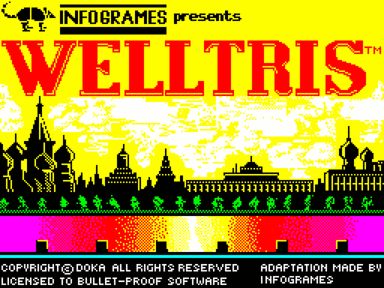
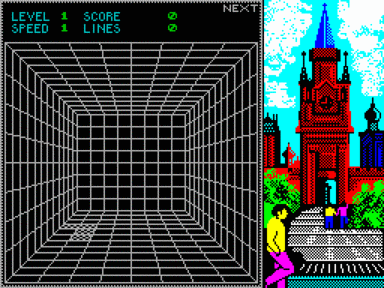


Welltris
https://viva-games.ru/game/welltrisInfogrames (Великобритания), 1991
Авторы: Doka, Peter Balla, Imre Kovats, Ildiko Somos, Dan Guerra, Jody Sather, Matt Carlstrom
Жанр: Головоломки
Язык
- Русский
- English
Управление
- Клавиатура(?)
Максимум игроков
- Один
Рассказать друзьям
Доступные версии
Доступные версии
- Аннотация
- Описание (пер.)
- Информация
- Аннотация
- Описание
- Описание (пер.)
Welltris — классический представитель жанра головоломок, вдохновленный механиками легендарного Tetris. Цель игрока заключается в управлении падением различных геометрических фигур в ограниченное пространство колодца таким образом, чтобы заполнить линии на его дне. Полностью заполненная горизонтальная или вертикальная линия удаляется, освобождая дополнительное пространство для новых фигур.
Особенности игры
Фигуры: состоят из квадрата, образуя конструкции из 2–5 элементов. Их форма зависит от выбранного уровня сложности.
Уровни сложности: предусмотрены три режима:
– Уровень 1: фигуры из 2–4 квадратов,
– Уровень 2: исключительно фигуры из 4 квадратов,
– Уровень 3: фигуры из 2–5 квадратов.
Игра заканчивается, когда свободное пространство исчерпано и новая фигура не помещается на игровое поле.
Welltris идеально подойдет любителям классических пазлов, желающих испытать себя в динамичной и увлекательной задаче, развивающей стратегическое мышление и реакцию.
__    __        __    __                   .
|      |  ___    |     |   _|___  _  __   __    __
|  /\  | |___>   |     |    |      |/  \   |   <__
| /  \ | |       |     |    |      |       |      \
|/    \| \___/ __|__ __|__  \___/ _|__   __|__ \__/
© DOKA 1989. Все права защищены. Лицензия выдана компании Bullet Proof Software.
Адаптация сделана INFOGRAMES с разрешения B.P.S.
I – Введение
WELLTRIS: очередной вызов западному миру от российского гейм-мастера Алексея Пажитнова, автора TETRIS.
Алексей Пажитнов, известный математик и член Академии наук СССР, имеет привилегию программировать и разрабатывать свои игры на собственном персональном компьютере, что до сих пор редкость в Советском Союзе.
Пажитнов надеется когда-нибудь отправиться в путешествие, включая поездки в Японию, США, Западную Европу… Международный успех его игр может только способствовать осуществлению его надежд.
II – Загрузка и запуск
ПРИМЕЧАНИЕ: Вы можете подключить джойстик.
Commodore 64
Дисковая версия:
– Если вы используете C128, введите GO 64 и подтвердите, нажав Y;
– Затем, также на C64, вставьте диск в привод;
– Введите LOAD “WELLTRIS”,8
– Нажмите клавишу RETURN;
– После загрузки программы на экране появится сообщение “READY”;
– Введите RUN и нажмите RETURN.
Кассетная версия:
– Если вы используете C128, введите GO 64 и подтвердите, нажав Y;
– Затем, также как и на C64, вставьте кассету в рекордер;
– Нажмите одновременно клавиши SHIFT и RUN/STOP;
– Нажмите кнопку PLAY на диктофоне;
– Программа загрузится и запустится автоматически.
Amstrad cpc
Дисковая версия:
– Включите компьютер;
– Вставьте диск в дисковод;
– Введите |CPM (чтобы получить |, нажмите одновременно клавиши SHIFT и @);
– Затем нажмите клавишу ENTER.
Кассетная версия:
– Включите компьютер;
– Вставьте кассету в магнитофон;
– Для 664, 6128 и 464 с дисководом введите |TAPE (чтобы получить |, нажмите одновременно клавиши SHIFT и @);
– Затем CTRL и ENTER (маленькая клавиша на цифровой клавиатуре);
– Следуйте инструкциям на экране.
Спектрум
Дисковая версия:
– Включите компьютер;
– В заголовке SPECTRUM выберите BASIC;
– Вставьте диск в дисковод;
– Тип нагрузки “WELLTRIS”
– И нажмите ENTER.
Кассетная версия:
– Включите компьютер;
– В заголовке SPECTRUM выберите BASIC;
– Вставьте кассету в магнитофон;
– Введите LOAD””
– Нажмите кнопку PLAY на диктофоне;
– Нажмите клавишу ENTER,
– Программа загрузится и запустится автоматически.
III – загрузочный экран
После загрузки WELLTRIS вы увидите титульный экран. Нажмите RETURN для перехода к экрану идентификации (защита).
Защита
Во всем буклете представлены изображения флагов республик Советского Союза с некоторой информацией.
По запросу компьютера обратитесь к номеру указанной страницы и наберите нужное слово или число (без запятой).
Когда вы введете правильный ответ, компьютер переведет вас на экран настройки.
Игра не будет работать, если вы не введете правильное слово или число.
Экран настройки
На этом экране можно задать стиль игры, в который вы хотите играть.
Вы можете установить уровень и скорость игры, включить или выключить звук, установить режим движения (см. VI – ИГРОВЫЕ КОМАНДЫ), а также установить функцию Next Piece (см. V – ЭКРАН ИГРЫ).
-------------------------------
|                             |
|   Флаг Армянской Советской  |
| Социалистической Республики |
|  (горизонтальная полоса по  |
|           центру)           |
|                             |
|                             |
-------------------------------
Республика: Армения
Площадь: 11 500 кв. миль.
Столица: Ереван
------------------------------
|                            |
|    Флаг Азербайджанской    |
| Советской Социалистической |
|         Республики         |
|   (горизонтальная полоса   |
|            внизу)          |
|                            |
------------------------------
Республика: Азербайджан
Площадь: 33 400 кв. миль.
Столица: Баку
Команды
На клавиатуре используйте следующие клавиши:
---------------------------------------------------------------------------
| AMSTRAD               | C64 и SPECTRUM     |                             |
|-----------------------+--------------------+-----------------------------|
| курсор влево и вправо | J и L              | для выбора внутри поля      |
| или F4 и F6           |                    |                             |
|                       |                    |                             |
| Курсор вверх и вниз   | I и M              | для перехода вверх или вниз |
| или F2 и F8           |                    |                             |
----------------------------------------------------------------------------
Затем нажмите RETURN для доступа к следующим опциям:
HI SCORE: переводит вас на экран высокого результата.
INFO: переводит вас на экран кредита
SAVE OPTIONS: (только на COMMODORE) позволяет сохранить изменение графического режима, как описано ранее, и все выборы, которые вы сделали на Setup Scren для будущих игр.
QUIT: возврат в BASIC
ПРИМЕЧАНИЕ: Вы также можете использовать джойстик для выбора опций
------------------------------
|      Флаг Белорусской      |
| Советской Социалистической |
|         Республики         |
|  (вертикальный узор слева  |
|   и горизонтальная полоса  |
|           по низу)         |
|                            |
------------------------------
Республика: Белоруссия
Площадь: 80,2000 кв. миль.
Столица: Минск
------------------------------
Ш                            |
|       Флаг Эстонской       |
| Советской Социалистической |
|         Республики         |
|  (горизонтальная волнистая |
|       линия по низу)       |
|                            |
------------------------------
Республика: Эстония
Площадь: 17 400 кв. миль.
Столица: Таллинн
IV – Объект игры
Цель игры WELLTRIS – манипулировать игровыми фигурами, падающими по сторонам колодца, так, чтобы они попали на дно и поместились среди игровых фигур, уже находящихся на дне.
Когда сегменты игровых фигур образуют линию (горизонтальную или вертикальную) на дне лунки, линия исчезает, давая вам больше пространства для размещения большего количества фигур.
Пока у вас есть падающие фигуры и место на дне колодца, игра продолжается.
Игровые фигуры
Игровые фигуры игры WELLTRIS представляют собой геометрические фигуры, состоящие из квадратных сегментов. Эти фигуры могут состоять из двух, трех, четырех и пяти сегментов.
Используемые игровые элементы зависят от уровня сложности.
------------------------------
|       Флаг Грузинской      |
| Советской Социалистической |
|         Республики         |
|    (серп и молот внутри    |
|   внутри шаблона солнца и  |
|   горизонтальная полоса    |
|           вверху)          |
|                            |
------------------------------
Республика: Грузия
Площадь: 26 900 кв. миль.
Столица: Тбилиси
------------------------------
|                            |
|       Флаг Казахской       |
| Советской Социалистической |
|         Республики         |
|   (горизонтальная полоса   |
|             внизу)         |
|                            |
------------------------------
Республика: Казахстан
Площадь: 1 049 200 кв. м.
Столица: Алма-Ата
------------------------------
|                            |
|       Флаг Киргизской      |
| Советской Социалистической |
|         Республики         |
|     (три горизонтальные    |
|     полосы по центру)      |
|                            |
------------------------------
Республика: Киргизия
Площадь: 76 600 кв. миль.
Столица: Фрунзе
------------------------------
|                            |
|       Флаг Латвийской      |
| Советской Социалистической |
|         Республики         |
|  (горизонтальная волнистая |
|       линия по низу)       |
|                            |
------------------------------
Республика: Латвия
Площадь: 24 600 кв. миль.
Столица: Рига
Уровни сложности
В этой игре есть три уровня сложности; вы можете выбрать нужный уровень на экране настроек.
1-й уровень: Фигуры состоят из двух, трех или четырех квадратов.
2-й уровень: Фигуры состоят только из четырех квадратов.
3-й уровень: Фигуры состоят из двух, трех, четырех и пяти квадратов.
V – Игровой экран
Уровень
Описывает уровень сложности падающих в колодец предметов.
Чем выше число, тем сложнее объекты.
Скорость
Это скорость падения фигур в колодец. Для каждой скорости на каждом уровне сложности появляются одни и те же картинки.
Примечание: на кассетных версиях изображение не меняется. Скорость увеличивается автоматически, чем больше строк вы заполняете.
Вы можете увеличить скорость падения, нажав одновременно SHIFT и I (CAPS-SHIFT I на SPECTRUM). Скорость нельзя уменьшить, кроме как начав игру заново. Чем выше скорость, тем больше очков вы получаете, когда помещаете фигуры на дно колодца.
Оценка
Это ваш счет в текущей игре.
Линии
Это общее количество линий, которые вам удалось удалить со дна колодца в этой игре.
Следующий
Это показывает вам форму следующей детали, которая будет выпущена в скважину. Это дает вам небольшое предупреждение о следующей форме, которую вы должны приспособить. Такое предвидение полезно, но оно вычитается из вашего счета. Вы можете включить или выключить эту функцию, нажав одновременно SHIFT и N (CAPS-SHIFT N на SPECTRUM).
VI – Игровые команды
Игровые фигуры перемещаются с помощью клавиатуры или джойстика.
---------------------------------------------------------------------------
| ДЖОЙСТИК       | AMSTRAD               | C64      |                     |
|                |                       | СПЕКТРУМ |                     |
|----------------+-----------------------+----------+---------------------|
| Влево и вправо | Левый и правый курсор |          |                     |
|                | F4 и F6               | J и L    | горизонт. Движение  |
|                |                       |          |                     |
| Вверх и вниз   | Вверх и вниз курсор   |          |                     |
|                | F8 и F2               | I и M    |вертикальное движение|
|                |                       |          |                     |
| ОГОНЬ          | COPY или F5           | K        | повернуть фигуру    |
|                |                       |          |                     |
| ПРОБЕЛ         | ПРОБЕЛ                | ПРОБЕЛ   | бросить фигуру      |
---------------------------------------------------------------------------
Другие команды
---------------------------------------------------------------------------
|                        | AMSTRAD/C64         | SPECTRUM                 |
|------------------------+---------------------+--------------------------|
| Выход в BASIC          | SHIFT + Q           | CAPS SHIFT + Q           |
| Перезапустить игру     | SHIFT + R           | CAPS SHIFT + R           |
| Прервать текущую игру  | SHIFT + A           | CAPS SHIFT + A           |
| Пауза                  | SHIFT + P           | CAPS SHIFT + P           |
| Увеличить скорости     | SHIFT + I           | CAPS SHIFT + I           |
| Отобр. следующей фигуры| SHIFT + N           | CAPS SHIFT + N           |
| Вкл./выкл. звуков      | SHIFT + S           | CAPS SHIFT + S           |
| Перекл. движения фигур | SHIFT + M           |  CAPS SHIFT + M          |
---------------------------------------------------------------------------
Последняя команда позволяет изменить или повторно активировать стандартный режим движения.
Стандартный режим движения (режим по умолчанию)
Он требует переключения клавиш перемещения при переходе от горизонтальной к вертикальной стене.
Вдоль верхних и нижних стен используйте горизонтальное движение.
Вдоль боковых стен используйте вертикальное движение. (См. выше ИГРОВЫЕ КОМАНДЫ)
ОСТОРОЖНО: Остерегайтесь углов.
Центральный квадрат игровой фигуры (квадрат, вокруг которого она вращается) должен находиться на новой стене до того, как вы переключите клавиши. Квадрат вращения не всегда очевиден.
Таким образом, если фигура из 4 квадратов имеет по два квадрата на каждой стене, но вращающийся сегмент находится на старой стене, продолжайте использовать клавишу, которую вы использовали для перемещения. Когда вращающийся сегмент окажется на новой стене, поменяйте клавиши.
Режим движения по часовой стрелке/против часовой стрелки
В этом режиме используются одни и те же клавиши для перемещения фигуры независимо от того, на какой стене она находится.
Игровая фигура движется по часовой стрелке или против часовой стрелки, в зависимости от используемого ключа.
По часовой стрелке – использовать слева
Против часовой стрелки – используйте право
ВНИМАНИЕ: В этом режиме лево и право не обязательно соответствуют левому и правому направлениям; это зависит от того, на какой стене вы находитесь.
Пример: На нижней стене клавиша со стрелкой вправо перемещает фигуру вправо, но на верхней стене перемещает ее влево.
------------------------------
|                            |
|       Флаг Литовской       |
| Советской Социалистической |
|         Республики         |
| (две горизонтальные полосы |
|          по низу)          |
|                            |
------------------------------
Республика: Литва
Площадь: 25 200 кв. миль.
Столица: Вильнюс
------------------------------
|                            |
|       Флаг Молдавской      |
| Советской Социалистической |
|         Республики         |
|   (горизонтальная полоса   |
|         по центру)         |
|                            |
------------------------------
Республика: Молдавия
Площадь: 13 000 кв. миль.
Столица: Кишинев
VII – Советы и подсказки
Если не вмешиваться, игровые фигуры WELLTRIS падают на стену по одной линии за раз. Вы можете перемещать их по горизонтали по мере падения.
Как только игровая фигура достигает пола колодца, вы больше не можете контролировать ее направление. Однако вы все еще можете повернуть ее в последнюю секунду, чтобы она точно вписалась в то пространство, в которое вы хотите ее вписать.
Использование углов
Уникальной особенностью этой игры является использование углов колодца для создания новых фигур из старых.
Когда деталь заворачивается за угол, ее сегменты движутся в направлении, соответствующем стене, на которой находится эта деталь, пока один сегмент не ударится о препятствующую деталь.
Если мешающие части находятся очень близко к углу, это может привести к тому, что части части накладываются друг на друга, делая из исходной части меньшую часть.
Стратегии
Используйте весь колодец.
Не застревайте мысленно на одной стене колодца. Используйте все четыре стены и заставляйте игровые фигуры двигаться. Постоянно проверяйте, куда они приземлятся.
Помните, что фигура скользит по дну, пока не столкнется с препятствием. Ищите подходящие препятствия, на которые он может натолкнуться.
------------------------------
|                            |
|       Флаг Российской      |
| Советской Социалистической |
|         Республики         |
|    (вертикальная полоса    |
|           слева)           |
|                            |
------------------------------
Республика: Российская Советская
Федеративная Социалистическая Республика
Площадь: 6,592,800 кв. миль.
Столица: Москва
------------------------------
|                            |
|       Флаг Таджикской      |
| Советской Социалистической |
|         Республики         |
| (две горизонтальные полосы |
|   между центром и низом)б  |
|                            |
------------------------------
Республика: Таджикистан
Площадь: 55 250 кв. миль.
Столица: Душанбе
Постройте блоки из игровых элементов
При разумном маневрировании вы можете строить блоки сегментов со стратегически расположенными зазорами, так что многие линии могут быть удалены одновременно с введением одной части. Оставьте место для неудобных частей
Постарайтесь оставить участки дна свободными для многосегментных деталей, которые не помещаются в блоки, из которых вы строите.
Установите их на свои блоки с пространством для установки более простых деталей и превратите их в пригодные для работы блоки.
VIII – Конец игры
Счет
Вы получаете очки за успешное опускание фигур на дно колодца. Это можно сделать, либо управляя предметом до тех пор, пока он не достигнет дна, либо выстроив его около вершины колодца, а затем опустив его с помощью клавиши пробела.
Вы получаете тем больше очков, чем дальше упал предмет.
Когда линия заполняется, компьютер удаляет ее (давая вам больше места, чтобы спустить больше фигур) и увеличивает ваш счет. Чем больше линий вы удаляете за один раз, тем выше ваш счет.
----------------------------
|                            |
|      Флаг Туркменской      |
| Советской Социалистической |
|         Республики         |
| (две горизонтальные полосы |
|         по центру)         |
|                            |
------------------------------
Республика: Туркменистан
Площадь: 188,500 кв. миль.
Столица: Ашхабад
------------------------------
|                            |
|       Флаг Украинской      |
| Советской Социалистической |
|         Республики         |
| (горизонтальная полоса по  |
|            низу)           |
|                            |
------------------------------
Республика: Украина
Площадь: 233,100 кв. миль.
Столица: Киев
Игра окончена
Игра заканчивается, если вы добровольно выходите из нее, как описано выше, или если вы больше не можете доставить игровые фигуры на дно колодца. В этом случае вы проиграли – хотя вы по-прежнему получаете очки. Вы можете проиграть в игре одним из двух способов:
1. Все четыре стены заблокированы
Фигуры, которые останавливаются, когда одна или несколько их секций остаются на стене, блокируют эту стену до тех пор, пока не закончат падение еще три фигуры.
Примечание: Ни одна игровая фигура не появится на заблокированной стене. Если все четыре стены заблокированы, игра окончена.
2. Одна стена с частями, сложенными до самого верха
Если фигуры останавливаются на стене и другие фигуры укладываются на эти фигуры до тех пор, пока фигуры не будут уложены по всей высоте стены, игра заканчивается.
Экран высокого результата
На этом экране отображаются десять самых высоких оценок для вашей игры WELLTRIS. Если вы только что закончили игру и ваш результат выше, чем один из десяти показанных, вам будет предложено ввести свое имя в отведенное для этого место, и ваш результат будет помещен среди этих оценок. Счет вашей последней игры отображается под списком.
ПРИМЕЧАНИЕ: Чтобы иметь возможность сохранить результат на диске, диск не должен быть защищен от записи.
------------------------------
|                            |
|       Флаг Узбекской       |
| Советской Социалистической |
|         Республики         |
| (две горизонтальные полосы |
|          по центру)        |
|                            |
------------------------------
Республика: Узбекистан
Площадь: 172 700 кв. м.
Столица: Ташкент
Играйте в Welltris без эмуляторов прямо на сайте. Эта игра жанра “головоломки”, изданная в Великобритании в 1991 году компанией Infogrames, которую написали Doka, Peter Balla, Imre Kovats, Ildiko Somos, Dan Guerra, Jody Sather и Matt Carlstrom.
Welltris is a classic puzzle game inspired by the mechanics of the legendary Tetris. The player’s goal is to control the fall of various geometric shapes into a limited space of a well in such a way as to fill the lines at its bottom. A completely filled horizontal or vertical line is removed, freeing up additional space for new shapes.
Game Features
Figures: consist of a square, forming structures of 2-5 elements. Their shape depends on the selected difficulty level.
Difficulty levels: there are three modes:
– Level 1: figures of 2-4 squares,
– Level 2: exclusively figures of 4 squares,
– Level 3: figures of 2-5 squares.
The game ends when the free space is exhausted and a new figure does not fit on the playing field.
Welltris is ideal for fans of classic puzzles who want to test themselves in a dynamic and exciting task that develops strategic thinking and reaction.
__    __        __    __                   .
|      |  ___    |     |   _|___  _  __   __    __
|  /  | |___>   |     |    |      |/     |   <__
| /   | |       |     |    |      |       |
|/    | ___/ __|__ __|__  ___/ _|__   __|__ __/
© DOKA 1989. All rights reserved. Licensed to Bullet Proof Software.
Adaptation made by INFOGRAMES with permission of B.P.S.
I – Introduction
WELLTRIS: another challenge to the western world from the Russian gamemaster Alexey Pajitnov, the author of TETRIS.
Alexey Pajitnov, the famous mathematician and member of the Soviet Academy of Sciences, has the privilege to program and design his games on his own personal computer which is still rare in the Soviet Union.
Pajitnov hopes to travel some day, including trips to Japan, the United States, western Europe… The international success of his games can only help his hopes come true.
II – Loading and start up
NOTE: You may connect a joystick.
Commodore 64
Disk version:
– If you use a C128, type GO 64 and confirm by pressing Y;
– Then, on C64 as well, insert the disk in the drive;
– Type LOAD”WELLTRIS”,8
– Press the RETURN key;
– When the program has loaded, the message “READY” will display;
– Type RUN and press RETURN.
Cassette version:
– If you use a C128, type GO 64 and confirm by pressing Y;
– Then, on C64 as well, insert the cassette in the recorder;
– Press the keys SHIFT and RUN/STOP simultaneously;
– Press the PLAY button on the recorder;
– The program will load and start automatically.
Amstrad cpc
Disk version:
– Switch on the computer;
– Insert the disk in the drive;
– Type |CPM (to obtain |, press the keys SHIFT and @ simultaneously);
– Then press the ENTER key.
Cassette version:
– Switch on the computer;
– Insert the cassette in the recorder;
– For 664, 6128 and 464 with a disk drive, type |TAPE (to obtain |, press the keys SHIFT and @ simultaneously);
– Then CTRL and ENTER (small key on the number pad);
– Follow the on-screen instructions.
Spectrum
Disk version:
– Switch on the computer;
– From the SPECTRUM header, select BASIC;
– Insert the disk in the drive;
– Type load”WELLTRIS”
– And press ENTER.
Cassette version:
– Switch on the computer;
– From the SPECTRUM header, select BASIC;
– Insert the cassette in the recorder;
– Type LOAD””
– Press the PLAY button on the recorder;
– Press the ENTER key,
– The program will load and start automatically.
III – Opening screens
Once WELLTRIS is loaded, you will see the Title Screen. Press RETURN to move to the Identification Screen (protection).
Protection
Throughout this booklet are pictures of the flags of the Republics of Soviet Union with some information.
At the computer’s request, refer to the number of the page indicated and type in the necessary word or number (without comma).
When you type in the correct answer, the computer takes you to the Setup Screen.
The game will not work unless you type in the right word or number.
The setup screen
This screen allows you to set the style of game you want to play.
You can set the level and the speed of play, turn the sound on and off, set the Movement Mode (see VI – GAME COMMANDS), and set the Next Piece function (see V – THE PLAYING SCREEN).
----------------------------
|                          |
|  Flag of Armenian Soviet |
|    Socialist Republic    |
| (horizontal stripe along |
|          centre)         |
|                          |
|                          |
----------------------------
Republic: Armenia
Area: 11,500 sq. mi.
Capital: Yerevan
----------------------------
|                          |
|    Flag of Azerbaijan    |
|     Soviet Socialist     |
|         Republic         |
| (horizontal stripe along |
|          bottom)         |
|                          |
----------------------------
Republic: Azerbaijan
Area: 33,400 sq. mi.
Capital: Baku
Commands
On the keyboard, use the following keys:
---------------------------------------------------------------------------
|        AMSTRAD        |  C64 and SPECTRUM  |                            |
|-----------------------+--------------------+----------------------------|
| Left and right cursor | J and L            |  to select within a field  |
| or F4 and F6          |                    |                            |
|                       |                    |                            |
| Up and down cursor    | I and M            |  to go up or down          |
| or F2 and F8          |                    |                            |
---------------------------------------------------------------------------
Then press RETURN to access the following options:
HI SCORE: takes you to the high score screen.
INFO: takes you to the Credit Screen
SAVE OPTIONS: (on COMMODORE only) allows you to save a change of graphics mode, as described before, and all the selections you have made on the Setup Scren for future games.
QUIT: returns to BASIC
NOTE: You can also use the joystick to select the options
----------------------------
|    Flag of Belorussian   |
|     Soviet Socialist     |
|         Republic         |
|   (vertical pattern on   |
|    left and horizontal   |
|   stripe along bottom)   |
|                          |
----------------------------
Republic: Belorussia
Area: 80,2000 sq. mi.
Capital: Minsk
----------------------------
|                          |
|  Flag of Estonian Soviet |
|    Socialist Republic    |
| (horizontal wave pattern |
|       along bottom)      |
|                          |
|                          |
----------------------------
Republic: Estonia
Area: 17,400 sq. mi.
Capital: Tallinn
IV – The object of the game
The object of WELLTRIS is to manipulate the game pieces falling down the sides of the well so that they get to the bottom and fit amongst the game pieces already at the bottom.
When segments of game pieces form a line (either horizontal or vertical) at the bottom of the well, the line disappears, giving you more room to fit in more pieces.
As long as you have pieces falling and room at the bottom of the well, the game continues.
The game pieces
The game pieces of the WELLTRIS game are geometric shapes made up of square segments. These pieces can consist of two, three, four, and five segments.
The game pieces used depend on the Level of Difficulty.
----------------------------
|  Flag of Georgian Soviet |
|    Socialist Republic    |
|    (hammer and sickle    |
|  within sun pattern and  |
|  horizontal stripe along |
|           top)           |
|                          |
----------------------------
Republic: Georgia
Area: 26,900 sq. mi.
Capital: Tbilisi
----------------------------
|                          |
|   Flag of Kazakh Soviet  |
|    Socialist Republic    |
| (horizontal stripe along |
|          bottom)         |
|                          |
|                          |
----------------------------
Republic: Kazakhstan
Area: 1,049,200 sq. mi.
Capital: Alma-Ata
----------------------------
|                          |
|   Flag of Kirgiz Soviet  |
|    Socialist Republic    |
|     (three horizontal    |
|   stripes along centre)  |
|                          |
|                          |
----------------------------
Republic: Kirgiziya
Area: 76,600 sq. mi.
Capital: Frunze
----------------------------
|                          |
|  Flag of Latvian Soviet  |
|    Socialist Republic    |
| (horizontal wave pattern |
|       along bottom)      |
|                          |
|                          |
----------------------------
Republic: Latvia
Area: 24,600 sq. mi.
Capital: Riga
Levels of difficulty
There are three levels of difficulty in this game; you can pick the level you want on the Setup Screen.
1st Level: The pieces are made up of two, three, or four squares.
2nd Level: The pieces are made up of only four squares.
3rd Level: The pieces are made up of two, three, four, and five squares.
V – The playing screen
Level
This describes the difficulty level of the pieces falling down the well.
The higher the number, the more complex the objects.
Speed
It is the speed of the pieces falling down the well. The same pictures appear for each different speed in every level of difficulty.
Note: on the cassette versions the picture won’t change. The speed increases automatically the more lines you fill.
You can increase the speed of falling by pressing SHIFT and I simultaneously (CAPS-SHIFT I on SPECTRUM). The speed cannot be decreased except by starting the game over again. The faster the speed, the more points you gain tor placing pieces at the bottom of the well.
Score
This is your score for the current game.
Lines
This is the total number of lines you have managed to remove from the well bottom in this game.
Next
This shows you the shape of the next piece to be released to the well. It gives you a bit of warning about the next shape you have to accomodate. This foreknowledge is useful, but it subtracts from your score. You can switch this feature on and off by pressing SHIFT and N simultaneously (CAPS-SHIFT N on SPECTRUM).
VI – Game commands
Game pieces are moved by using the keyboard or joystick.
---------------------------------------------------------------------------
|    JOYSTICK    |        AMSTRAD        |    C64   |                     |
|                |                       | SPECTRUM |                     |
|----------------+-----------------------+----------+---------------------|
| Left and right | Left and right cursor |          |                     |
|                | F4 and F6             | J and L  | horizontal movement |
|                |                       |          |                     |
| Up and down    | Up and down cursor    |          |                     |
|                | F8 and F2             | I and M  | vertical movement   |
|                |                       |          |                     |
| FIRE           | COPY or F5            | K        | rotate piece        |
|                |                       |          |                     |
| SPACE          | SPACE                 | SPACE    | drop piece          |
---------------------------------------------------------------------------
Other commands
---------------------------------------------------------------------------
|                        |     AMSTRAD/C64     |         SPECTRUM         |
|------------------------+---------------------+--------------------------|
| Quit to BASIC          |      SHIFT + Q      |      CAPS SHIFT + Q      |
| Restart Game           |      SHIFT + R      |      CAPS SHIFT + R      |
| Abort Current Game     |      SHIFT + A      |      CAPS SHIFT + A      |
| Pause                  |      SHIFT + P      |      CAPS SHIFT + P      |
| Increase Speed Level   |      SHIFT + I      |      CAPS SHIFT + I      |
| Next Piece Display     |      SHIFT + N      |      CAPS SHIFT + N      |
| Sounds on/off          |      SHIFT + S      |      CAPS SHIFT + S      |
| Toggle Piece Movement  |      SHIFT + M      |      CAPS SHIFT + M      |
---------------------------------------------------------------------------
This last command allows you to modify or re-activate the standard movement mode.
Standard movement mode (default mode)
It calls for switching the movement keys as you move from the horizontal to the vertical wall.
Along top and bottom walls, use the horizontal movement.
Along side walls, use the vertical movement. (See above GAME COMMANDS)
BEWARE: Watch out for the corners.
The central square of the game piece (the square it rotates around) must on the new wall before you switch keys. The rotational square is not always obvious.
Thus, if a 4-square piece has two squares on each wall, but the rotational segment is on the old wall, continue to use the key you have been using to move it. When the rotational segment is on the new wall, switch keys.
Clockwise/counter-clockwise movement mode
This mode uses the same keys to move the piece no matter what wall it is on.
The game piece moves in either a clockwise or counter-clockwise direction, depending on the key used.
Clockwise – use left
Counter-Clockwise – use right
WARNING: In this mode, the left and right do not necessarily correspond with left and right directions; it depends on which wall you are on.
Example: On the bottom wall, the right arrow key moves the piece to the right, but moves it to the left on the top wall.
----------------------------
|                          |
|    Flag of Lithuanian    |
|     Soviet Socialist     |
|         Republic         |
|  (two horizontal stripes |
|       along bottom)      |
|                          |
----------------------------
Republic: Lithuania
Area: 25,200 sq. mi.
Capital: Vilnius
----------------------------
|                          |
| Flag of Moldavian Soviet |
|    Socialist Republic    |
| (horizontal stripe along |
|          centre)         |
|                          |
|                          |
----------------------------
Republic: Moldavia
Area: 13,000 sq. mi.
Capital: Kishinyov
VII – Tips and hints
If not interfered with, the WELLTRIS game pieces fall one line on the wall at a time. You can move them horizontally as they fall.
Once a game piece reaches the floor of the well, you can no longer control its direction. However, you can still rotate it at the last second to make it fit exactly into the space you want to fit it into.
Using the Corners
One unique feature of this game is the use of the corners of the well to create new shapes from the old shapes.
When a piece is wrapped around a corner, its segments go in a direction appropriate for the wall that section is on, until one segment hits an obstructing piece.
If obstructing pieces are very close to the corner, this can result in the parts of the piece overlapping each other, making a smaller piece out of the original piece.
Strategies
Use the whole well.
Do not get mentally stuck on one wall of the well. Use all four walls and keep the game pieces moving. Continually check them for where they will land.
Remember that a piece skids across the bottom until it hits an obsbtruction. Look for appropriate obsbtructions for it to run into.
----------------------------
|                          |
|  Flag of Russian Soviet  |
|    Federated Socialist   |
|    (vertical stripe on   |
|           left)          |
|                          |
----------------------------
Republic: Russian Soviet
Federated Socialist Republic
Area: 6,592,800 sq. mi.
Capital: Moscow
----------------------------
|                          |
|  Flag of Tadzhik Soviet  |
|    Socialist Republic    |
|  (two horizontal stripes |
|    between centre and    |
|          bottom)         |
|                          |
----------------------------
Republic: Tadzhikistan
Area: 55,250 sq. mi.
Capital: Dushanbe
Build blocks of Game Pieces
With some judicious manoeuvring, you can build blocks of segments with strategically placed gaps so that many lines can be removed at once with the introduction of one piece. Leave space for awkward Pieces
Try to leave sections of the bottom free for many-segmented pieces that don’t fit into the blocks you’re building.
Fit them up against your blocks with space to fit more mundane pieces into and turn them into workable blocks.
VIII – End of the game
Scoring
You get points for successfully bringing pieces to the floor of the well. You can do this by either controlling the piece until it has reached the bottom or by lining it up near the top of the well and then dropping it by using the Spacebar.
You get more points the further the piece is dropped.
When a line is filled in, the computer removes the line (giving you more room to bring down more pieces) and increases your score. The more lines you remove at a time, the higher your score.
----------------------------
|                          |
|  Flag of Turkmen Soviet  |
|    Socialist Republic    |
|  (two horizontal stripes |
|       along centre)      |
|                          |
|                          |
----------------------------
Republic: Turkmenistan
Area: 188,500 sq. mi.
Capital: Ashkhabad
----------------------------
|                          |
| Flag of Ukrainian Soviet |
|    Socialist Republic    |
| (horizontal stripe along |
|          bottom)         |
|                          |
|                          |
----------------------------
Republic: Ukraine
Area: 233,100 sq. mi.
Capital: Kiev
The game is over
The game is over when you voluntarily exit it, as described before, or if you can no longer bring game pieces to the bottom of the well. In this case, you have lost – though you still get a score. You can lose the game in one of two ways:
1. All four walls blocked
Pieces that come to a stop with one or more of their sections still on the wall cause that wall to be blocked until three more pieces have finished falling.
Note: No game piece will appear on a blocked wall. If all four walls are blocked, the game is over.
2. One wall with pieces stacked to the top
If pieces are stopped on the wall and other pieces stack up on these pieces until there are pieces stacked the entire height of the wall, the game is over.
High score screen
This screen shows the ten highest scores for your WELLTRIS game. If you have just finished a game and your score is higher than one of the ten shown, you will be asked to enter your name in the space provided, and your score will be placed among the scores. The score from your latest game is displayed under the list.
NOTE: To be able to save your score on disk, the disk must not be write-protected.
----------------------------
|                          |
|   Flag of Uzbek Soviet   |
|    Socialist Republic    |
|  (two horizontal stripes |
|       along centre)      |
|                          |
|                          |
----------------------------
Republic: Uzbekistan
Area: 172,700 sq. mi.
Capital: Tashkent
__    __        __    __                   .
|      |  ___    |     |   _|___  _  __   __    __
|  /  | |___>   |     |    |      |/     |   <__
| /   | |       |     |    |      |       |
|/    | ___/ __|__ __|__  ___/ _|__   __|__ __/
© DOKA 1989. All rights reserved. Licensed to Bullet Proof Software.
Adaptation made by INFOGRAMES with permission of B.P.S.
I – Introduction
Avec WELLTRIS, Alexey Pajitnov, le créateur de Tetris, nous lance un nouveau defi intellectuel digne de sa reputation internationale.
Alexey Pajitnov célèbre mathématicien appartenant à l’Académie Soviétique des Sciences a la chance de pouvoir programmer et dessiner ses jeux sur son micro-ordinateur personnel (ce qui est encore assez rare en Union Soviétique).
Pajitnov espère pouvoir un jour faire des voyages au Japan, aux Etats Unis, en Europe occidentale… Le succès international de ses jeux contribuera certainement à la réalisation de ses rêves.
II – Chargement et mise en marche
N.B: vous pouvez brancher un joystick.
Commodore 64
Version disquette:
– Si vous utilisez un C128, tapez GO 64 et confirmez en appuyant sur Y,
– Puis, et aussi sur C64, insérez la disquette dans le lecteur,
– Tapez LOAD”WELLTRIS”,8
– Appuyez sur la touche RETURN,
– Lorsque le programme est chargé, le message “READY” apparait.
– Tapez RUN et appuyez sur RETURN.
Version cassette:
– Si vous utilisez un C128, tapez GO 64 et confirmez en appuyant sur Y, PUIS RETURN,
– Puis, et aussi sur C64, insérez la cassette dans le lecteur,
– Appuyez simultanément sur les touches SHIFT et RUN/STOP,
– Enfoncez la touche PLAY du lecteur de cassettes,
– Le programme va se charger et démarrer automatiquement.
Amstrad cpc
Version disquette:
– Mettez l’unité centrale sous tension,
– Insérez la disquette dans le lecteur,
– Tapez |CPM (pour obtenir |, appuyez simultanément sur les touches SHIFT et @) ou sur clavier AZERTY, tapez ùCPM.
– Puis appuyez sur la touche ENTER.
Version caasette:
– Mettez l’unité centrale sous tension,
– Insérez la cassette dans le lecteur,
– Pour 664, 6128 et 464 muni d’un lecteur de disquettes, tapez |TAPE (pour obtenir |, appuyez simultanément sur les touches SHIFT et @) ou sur clavier AZERTY, tapez ùTAPE,
– Puis CTRL et ENTER (petite touche du pavé numérique),
– Suivez les instructions affichées a l’écran.
Spectrum
Version disquette:
– Mettez l’unité centrale sous tension,
– Page en-tête du SPECTRUM, sélectionnez le BASIC,
– Tapez load”WELLTRIS”
– Appuyez sur ENTER.
Version cassette:
– Mettez l’unité centrale sous tension,
– Page en-tête du SPECTRUM, sélectionnez le BASIC,
– Insérez la cassette dans le lecteur,
– Tapez LOAD””
– Enfoncez la touche PLAY du lecteur,
– Appuyez sur la touche RETURN du clavier,
– Le programme se charge et démarre automatiquement.
III – Debut du jeu
Dès que WELLTRIS est chargé, après l’écran de présentation, appuyez sur la touche RETURN pour accéder à l’écran d’identification (protection).
Protection (sauf sur cassette)
Dans ce manual vous trouverez les drapeaux des républiques de l’Union Soviétique suivis de certaines informations. A la demande de l’ordinateur, reportez-vous au numéro de page cité et tapez le mot ou le nombre demandé (sans virgule).
Si la réponse est correcte, vous pourrez accéder à l’écran de configuration.
Ce jeu ne marchera pas, si vous n’avez pas donné le mot ou le nombre requis.
Ecran de configuration
Cet écran permet de définir certains paramètres. Vous pouvez déterminer le niveau de difficulté (LEVEL) et la vitesse de jeu (SPEED LEVEL), activer/désactiver le son ou encore changer le mode de déplacement (Voir VI – COMMANDES DU JEU) et fixer l’option NEXT (Voir V – L’ECRAN DE JEU).
Commandes
Au clavier, utilisez les touches suivantes:
---------------------------------------------------------------------------
|        AMSTRAD        |   C64 et SPECTRUM  |                            |
|-----------------------+--------------------+----------------------------|
| Flèches gauche et     | J et L             | pour sélectionner une zone |
| droite ou F4 et F6    |                    |                            |
|                       |                    |                            |
| Flèches haut et bas   | I et M             | pour monter ou descendre   |
| ou F8 et F2           |                    |                            |
---------------------------------------------------------------------------
Puis, touche RETURN pour valider les options suivantes:
HI SCORE: accès à l’écran des high scores.
INFO: affiche la liste des participants
SAVE OPTIONS: (sur COMMODORE uniquement) permet de sauvegarder toutes les sélections que vous avez effectuées dans cet écran de configuration.
QUIT: retour au BASIC.
N.B: vous pouvez aussi utiliser le joystick pour sélectionner les options.
IV – Principe du jeu
Le principe de WELLTRIS consiste à manipuler les pièces qui tombent le long des parois d’un puits carré, et vont s’emboîter dans le fond, parmi les autres pièces qui s’y trouvent déjà.
Quand des segments de pièces forment une ligne (verticale ou horizontale) au fond du puits, la ligne disparaît, laissant la place pour d’autres pièces.
Tant que des pièces tombent et tant qu’il reste de la place au fond du puits, le jeu continue.
Les pieces du jeu
Les pièces forment des figures géometriques constituées de carrés. Ces pièces peuvent comprendre deux, trois, quatre ou cinq carrés. Le type de pièce dépend du niveau de difficulté.
Niveaux de difficulte (level)
Il y a trois niveaux de difficulté que vous pouvez déterminer dans l’écran de configuration.
Niveau 1: les pièces sont constituées de deux, trois ou quatre carrés.
Niveau 2: les pièces sont uniquement constituées de quatre carrés.
Niveau 3: les pièces sont constituées de deux, trois, quatre ou cinq carrés.
V – L’ecran de jeu
Niveau (level)
“Level” indique le niveau de difficulté des pièces tombant dans le puits.
La complexité des pièces dépend du chiffre indiqué (1 = facile).
Vitesse (speed)
Il s’agit de la vitesse a laquelle les pièces descendent les parois du puits. A chaque image apparaissant sur le côté droit, correspond une vitesse différente, quel que soit le niveau de difficulté.
N. B: sur les versions cassettes, l’image ne change pas. La vitesse augmente en fonction du nombre de lignes obtenues. Vous pouvez augmenter la vitesse en appuyant sur les touches SHIFT et I simultanément (CAPS-SHIFT I sur SPECTRUM). La vitesse ne peut pas être réduite a moins que vous ne recommenciez le jeu.
Plus le jeu est rapide, plus vous augmentez votre score à chaque pièce placée au fond du puits.
Score
C’est le score de la partie en cours.
Lignes (lines)
C’est le nombre de lignes completées au cours de cette partie.
Suivant (next)
Sous “Next” vous verrez la forme de la pièce suivante. Ceci vous permet d’anticiper le prochain coup. Cependant, si vous sélectionnez cette option, vous obtiendrez un score inférieur a celui obtenu sans cette aide. Pour activer ou désactiver l’option NEXT appuyez sur les touches SHIFT et N simultanément (CAPS-SHIFT N sur SPECTRUM).
VI – Commandes du jeu
Vous pouvez déplacer les pièces en utilisant le joystick ou les touches du clavier.
---------------------------------------------------------------------------
|   JOYSTICK  |         AMSTRAD         |    C64   |                      |
|             |                         | SPECTRUM |                      |
|-------------+-------------------------+----------+----------------------|
| Gauche et   | Flèches gauche et       |          |                      |
| droite      | droite; F4 et F6        | J et L   | déplacement latéral  |
|             |                         |          |                      |
| Haut et bas | Flèches haut et bas     |          |                      |
|             | F8 et F2                | I et M   | déplacement vertical |
|             |                         |          |                      |
| ACTION      | COPY ou F5              | K        | Rotation de la pièce |
|             |                         |          |                      |
| ESPACE      | ESPACE                  | ESPACE   | Envoyer la pièce     |
---------------------------------------------------------------------------
Autres commandes
---------------------------------------------------------------------------
|                               |   AMSTRAD/C64   |       SPECTRUM        |
|-------------------------------+-----------------+-----------------------|
| Quitter/Retour au BASIC       |    SHIFT + Q    |    CAPS SHIFT + Q     |
| Recommencer la partie         |    SHIFT + R    |    CAPS SHIFT + R     |
| Abandonner la partie          |    SHIFT + A    |    CAPS SHIFT + A     |
| Pause                         |    SHIFT + P    |    CAPS SHIFT + P     |
| Augmenter la vitesse (SPEED)  |    SHIFT + I    |    CAPS SHIFT + I     |
| Voir la pièce suivante (NEXT) |    SHIFT + N    |    CAPS SHIFT + N     |
| Sons                          |    SHIFT + S    |    CAPS SHIFT + S     |
| Autre mode de déplacement     |    SHIFT + M    |    CAPS SHIFT + M     |
---------------------------------------------------------------------------
Cette dernière commande vous permet de modifier (ou de récupérer) le mode de déplacement par défaut.
Mode de deplacement par defaut
Lors de ce mode de déplacement, vous devrez changer de touche lorsque vous passerez d’une paroi horizontale à une paroi verticale et vice-versa.
Sur les parois du haut et du bas utilisez le déplacement latéral.
Sur les parois de droite et de gauche utilisez le déplacement vertical. (voir plus haut commandes du jeu).
Attention: prenez garde aux coins. Le carré central de la pièce (le carré autour duquel elle tourne) doit se trouver sur la nouvelle paroi avant de changer de touche. Ce carré de rotation n’est pas évident a déterminer.
Exemple: une pièce de 4 carrés ayant deux carrés sur chaque paroi, on considère que le carré de rotation est toujours sur l’ancienne paroi. Dans ce cas, continuez à utiliser la touche qui vous a servi pour déplacer la pièce. Lorsque le carré de rotation se trouve sur la nouvelle paroi, vous pouvez changer de touche.
Mode de deplacement circulaire
Dans ce mode, vous utiliserez les mêmes touches pour déplacer une pièce quelle que soit la paroi sur laquelle elle se trouve. Le déplacement se fait soit dans le sens des aiguilles d’une montre soit dans le sans inverse, suivant les touches utilisées.
Sans des aiguilles – vers la gauche.
Sans inverse – vers la droite.
N.B: Nous vous conseillons d’utiliser ce mode de déplacement car il ne nécessite que deux directions (déplacement lateral). (voir commandes du jeu).
Attention: dans ce mode, les touches droite/gauche ne correspondent pas forcément avec les directions droite et gauche; cela dépend de la paroi sur laquelle vous vous trouvez.
Par exemple: sur la paroi du bas, la touche flèche droite déplace la pièce vers la droite, mais sur la paroi du haut elle la déplace vers la gauche.
VII – Astuces de jeu
Si vous n’intervenez pas, les pièces de WELLTRIS tombent une par une sur une ligne d’une paroi. Tant qu’elles tombent vous pouvez les déplacer horizontalement.
Dès qu’une pièce atteint le fond du puits, vous ne pouvez plus contrôler sa direction. Néanmoins vous pouvez toujours la faire tourner au dernier moment pour la placer dans l’espace prévu.
Comment utiliser les coins
Une caractéristique unique de ce jeu est l’utilisation des coins du puits pour créer de nouvelles formes à partir des anciennes. Quand une pièce se trouve à cheval sur un coin, les carrés qui la composent vont dans la direction correspondant à la paroi sur laquelle ils se trouvent, jusqu’au premier obstacle. Si il y a des obstacles très près du coin, il se peut que les parties d’une pièce se superposent pour donner une pièce plus petite que la pièce originale.
Strategies
Utilisez le puits entièrement Ne vous fixez pas sur une seule paroi du puits. Utilisez les quatre parois et assurez le déplacernent de vos pieces. Rappelez-vous que la pièce glissé sur le fond jusqu’à ce qu’elle rencontre un obstacle. Cherchez les obstacles appropriés pour la caler.
Construisez des blocs
En les manipulant judicieusement vous pouvez construire des blocs avec des trous placés stratégiquement pour que plusieurs lignes puissant être éliminées en introduisant une seule pièce.
Gardez de l’espace pour les pièces difficiles
Essayez de laisser au fond du puits des endroits libres pour placer de grosses pièces qui ne sont pas faciles à assembler. Placez-les près de vos blocs en laissant de l’espace pour insérer des pièces plus simples de façon à les transformer en des blocs plus maniables.
VIII – Fin du jeu
Score
Vous obtenez des points, quand vous arrivez à placer des pièces au fond du puits.
Pour cela vous pouvez soit contrôler la pièce jusqu’à ce qu’elle arrive au fond, soit l’aligner vers le haut du puits et la valider en utilisant la barre d’espacement.
Plus la pièce tombe de haut, plus vous gagnerez de points.
Quand une ligne est remplie, l’ordinateur l’élimine pour laisser la place à d’autres pièces et augments votre score. Vous obtiendrez plus de points, si vous réussissez à constituer plusieurs lignes à la fois.
Fin du jeu
La partie est terminée, si vous l’abandonnez comme décrit auparavant, ou s’il est impossible d’amener des pièces au fond du puits.
Dans ce cas-là, vous avez perdu par contre vous aurez toujours un score.
Vous pouvez perdre de deux manières:
1. Les quatre parois sont bloquées
Les pièces qui dépassent sur une paroi au moment où elles arrivent dans le fond du puits, bloquent cette paroi. La paroi ne se débloque que si vous placez les trois pièces suivantes.
N.B: aucune pièce ne peut appaître sur la paroi bloquée. Si toutes les parois sent bloquées, le jeu est terminé.
2. Une paroi est remplie jusqu’en haut Il se peut que des pièces soient stoppées sur une paroi et que d’autres pièces s’empilent jusqu’en haut de cette paroi. Dans ce cas, le jeu est terminé.
High score
Cet écran affiche les dix meilleurs scores. Si à la fin d’une partie votre score est meilleur qu’un des dix scores dans la liste, le programme vous demandera de taper votre nom dans l’espace prévu à cet effet et votre score sera classé parmi les autres. Le score de votre dernier jeu s’affiche sous la liste.
N.B: pour pouvoir sauvegarder votre score sur la disquette, celle-ci ne doit pas être protégée en écriture.
Ещё игры этого жанра


Сохранённые игры[X]
Справка[X]
Помощь уже в пути!
- x1
- x2
- x3
<<<<
<<<<
<<<<
Не забывайте периодически сохранять игровой прогресс на сервере (клавишей F8), чтобы уверенно продвигаться вперёд!
Если вы гость на сайте, то прогресс будет сохранён только в памяти браузера и потеряется при закрытии. Чтобы этого не произошло - просто войдите в свой профиль.
Для загрузки сохранённой игры жмите F3 или откройте меню "Диск" кнопкой на правой панели.
Если игра не запускается, или у вас есть вопросы по игре - задайте их ниже.


Не запускается или глючит игра, или не можете пройти? Спросите в комментариях.