


Мы в соцсетях


 »
» Кемпстон джойстик
Страница 2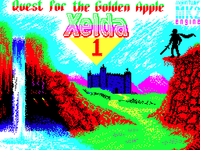
Xelda, the Quest for the Golden Apple
Оригинальное описание можно скачать в формате PDF. Чтобы получить больше информации, посетите официальный сайт игры.
Xelda Quest for the Golden Apple by Andrew Dansby along with Russell Glover
Contents
Statement of Disclaimer
History of game production
Open Source software statement
Introduction
Credits
Game Engine
Loading
Control Selection
Playing the game
Your Character
Other Characters
Monsters
Obstacles
Objects and Doorways
Dungeons
Winning the game
Epilogue
Statement of Disclaimer
This game is not intended to be a clone of Zelda, nor follows the storyline of Zelda. The sprites and
title song are derivatives of the original work by Nintendo. However, if the sprites changed and the
title song changed, this game in no way would actually resemble Zelda. Therefor this game should not
interfere with the rights of Nintendo and their copyright on the game. This game is a top down
adventure that has been presented in many other games. This game is not meant for sale. It’s presented
as a programming exercise for entertainment only.
History of the game production
Xelda was originally a programming exercise within the Mojon Twins MK2 to see if a rather seamless large scale game could be programmed for the ZX Spectrum 128k machine within the MK2 framework. I wanted to make sure the game would work across all official and classic ZX Spectrum machines.
I originally started the programming exercise around November 2016 to see how I could link levels together within the MK2 framework and have variables stay global. I gave each level and jump to each level a unique identifier. From there I could walk to a specific way-point on each level and then pop to another level, retaining the global variables.
The original programming exercise was 5×5 screens within 4×4 levels, meaning each level was 5 screens wide and 5 screen tall and the game contained 4 levels wide and 4 levels tall, with 4 dungeons for 464 screens. That proved to be much too large, so I reprogrammed the script framework again. The second programming exercise was 4×5 screens within 4×4 levels and 4 dungeons for 420 screens, that was again too large, so I scaled back again. The third programming exercise was 4×5 screens within 3×3 levels and 4 dungeons for 260 screens, the
game seem to hold up. So I programmed with that iteration for about 2 months, placing in the level designs for the first 3 levels. I then realized I needed to have a level for inside houses. This would be a level disconnected from the rest of the game, places where you could go inside to receive a quest. This would add another 20 screens to the game, for a total of 280 rooms. This memory model held up for about a month before I started adding some puzzles. I started realizing I was running out of memory with only 3 levels programmed. I had to restart the entire design process again and scale back.
The memory model I finally settled on was 4×4 screens within 3×3 levels, 3 dungeons and 1 inside houses level for 208 screens (in theory, in practice it’s around 204 screens. This model stored all puzzles I wanted to throw into the game, all dialog and all logic. It is a tight squeeze to fit everything inside. All data is compressed, uncompressing on the fly for each level (this is part of the Mojon Twins Framework).
Script programming took quite some time, and was programmed and changed around for 9 months or so until it was about right. The MK2 C framework from the Mojon Twins had to be modified to take care of a few bugs. Since I am terrible at creating music, I used a procedural music creation program (CG Music) and plugged each note into WYZ tracker.
Finally came the beta test. Since at this point I have only played the game in individual sections, since playing the entire game each time I made a change or addition to the script would be too time consuming. I asked for assistance for testing, while I performed debugging. I had assistance with a few beta testers and together we were able to fix the bugs and I played through the game about 20 some odd times, repairing logic as I went and each time on fixing a bug, releasing a new beta and triggering a new replay. It currently take me about 2 ½ hours per play, so can be time consuming.
There could still be undiscovered bugs within the game, but the game is completable. I finally finished with the script on November 2017, a year after I started the original memory test.
I hope everyone enjoys the game as a lot of effort has been put into the game.
Open Source software statement
This game is open source and freeware. The Mojon Twins MK2 engine is given freely, however any game produced using their engine cannot be sold without being agreed to from the Mojon Twins. I never intended on selling the game, only to produce a game.
Introduction
Xelda is a tribute game, it takes it’s inspiration almost directly from another famous game – Zelda. Which just so happened to be named after novelist F. Scott Fitzgerald wife Zelda Fitzgerald.
Even though the inspiration was taken from Zelda, this is not a direct copy of any of the Zelda games, it is its own entity. Spites and objects were “borrowed” from the real game, however that is an aesthetic only.
Xelda is a high adventure game, filled with puzzles, exploration, quests and fights. Your main quest is to find the Golden Apple which wards off the monsters that fill the island and terrorize it’s citizens. You will have to defeat puzzles which unlock passages, acquire objects or help others to further your quest.
Due to the sheer size of the game, it was written for 128K machines only (sorry for the 48k machine owners). However, with emulation and excellent machines like the ZX Uno, everyone who wants to play the game can.
Credits
This game is written by your humble programmer, Andy Dansby. My second computer that I owned was a Timex Sinclair 2068 which was the American Version of the ZX Spectrum. Sadly, it was mostly incompatible with the ZX Spectrum which along with poor marketing spelled the DOOM for that machine. However I you replaced the ROM, you could have a mostly compatible computer. That is what introduced me to the wonderful world of the ZX Spectrum.
This game however was not written without some support and there is credit due to others that helped me with the design.
Andrew Dansby – Programmer, level design, music, sprites and other bits and bobs.
Russell Glover – designer of level 4, the castle level, designer of most of the Graphics and my main sounding board for ideas. Russell diligently worked with me over the course of many months.
Cthonian Godkiller – for technical help with the script.
Andy Green – Created the awesome loading screen.
Casey Jones – some of the push block puzzles.
Hikoki – Provided some game ideas and was able to track down game programming information, was able to track down some obscure links for me to research. He provided a great sounding board for ideas and concepts.
The Mojon Twins for writing the MK2 engine on which this games is built on.
My Beta testers included.
Russell Glover
Baz Har Ding
Steve Jedikiah
Steven Charlesworth
Steven Brown
Game Engine
This game was written using the MK2 engine, designed by the Mojon Twins. It’s a rather versatile game engine, allowing for multiple levels, sprites and scripting. This is my first game within the MK2 engine and the first game I have made as an adult.
Loading
This game will only load on a 128k version of the ZX Spectrum. All 128k Machines should be supported. This is built into the Mojon Twins MK2 engine. It has been tested on 128K +2a by one of
my beta testers (Steve Jedikiah). I have tested it on my ZX Uno, set as a 128K toast-rack and on a +3. Loading on an original 128k machine, is simple, navigate to Tape Loader and press enter, press play on your cassette player. The game take around 12 minutes to load.
Loading on a ZX Uno or on an ESXDOS equipped is slightly more complicated.
On a ZX Uno
Access your bios (CTRL ALT BACKSPACE)
Make sure that NMI-DivMMC is Enabled (If you want to use NMI for the file browser) also make sure your DivMMC is Enabled
Choose the Joystick option you want, I suggest Kempston
Make sure your machine is set for a 128K machine and reboot your ZX Uno
Once your Uno is booted, press CTRL-ALT-F5
Navigate to the directory that you have placed the Xelda.tap
Select the file
The file, will attempt to load and then reboot the spectrum
type in POKE 23388,16
type LOAD “”
On a physical ESXDOS interface
The process should be the same for a classic ZX Spectrum 128K with a ESXDOS compatible interface.
Press your NMI and select Xelda.tap. The game should load on selecting it. If not you may have to
POKE 23388,16
and
LOAD “”
Control Selection
On the game loading, you are presented with 4 control options
1 WASD
W is up
A is left
S is down
D is right
Space is fire/Action. The fire button will perform actions, either swinging your sword, reading
signs, dialog and flipping switches.
2 QAOP
Q is up
O is left
A is down
P is right
Space is fire/Action. The fire button will perform actions, either swinging your sword, reading
signs, dialog and flipping switches.
3 Kempston
4 Sinclair
Interface 2, port 1
Also keys
9 up
6 left
8 down
7 right
0 fire/action
Joystick directions will move you in the direction you want, the fire button will perform actions,
either swinging your sword, reading signs, dialog and flipping switches.
Examples of using your Action/Fire key
Pressing Action/Fire at a sign, performs an action, such as reading the sign. Press Fire again to return
to game
Pressing Action/Fire on a NPC will trigger a conversation
Pressing Action/Fire while not on an actionable object will cause your sword to activate
Pressing fire on an object allow you to collect the object.
The object is now in your inventory
Screen Layout
The screen is laid out rather simply. You life force is on the top left, indicating how much life you have
until the game is over. Your inventory of collected objects is at the bottom of the screen. Your hero
which you control is all over the place.
Playing the game
Xelda is a top down / overhead adventure game. The goal is to find and collect the “Golden Apple” which disappeared under mysterious conditions (got stolen in the dark of the night). When the “Golden Apple” disappeared, monsters and beasts filled the island, terrorizing the citizens. Return the “Golden Apple” to the statue and all will be well.
Guide your hero around the island, talking to people to help guide you to your goal. Avoid or kill the monsters that block you from achieving your goal. Collect various object to open gates, flip switches to open passages and search the island until you find the “Golden Apple”. Solve the puzzles around the island to achieve your goal.
Your Character
Our Hero
Our hero, small in stature, yet has a huge heart (he needs to cut down on the cholesterol) wants to save
the island from the nasties wandering about. He can do so one by one, yet they always seems to
regenerate after a time (thanks mr. programmer) or he can do so by returning the “Golden Apple” to its
proper place.
Can’t quite remember his name (Dink, or something like that), so he goes by the name Bubba. Bubba
is quite unassuming, and needs your guidance to move about. He just doesn’t know how to defend
himself properly, so guide him on when to use his sword.
He has 25 life points and a sword (and kinda knows how to use it). Help guide him through the island,
swashbuckling, exploring and solving puzzles.
Other Characters
Island Keeper
The island keeper is an elected position, his real name is Bob. Bob always wins the position, because
no one else wants the job. Like most politicians, he’s more talk than action, and boy can he ramble on,
stating the obvious and treating it like it’s brand new information.
Blacksmith
Here is a man with a hammer and he knows how to bring it down. He’s quite handy when it comes to
fixing metal. His mustache is related to the woodsman.
Woodsman
He is a lumberjack and that’s OK, he sleeps all night and works all day. Well known for his flavor
saving mustache.
Dungeon Gatekeeper
She knows how to get into the dungeon, she rather likes dungeons and has gotten herself grounded
because of it.
Swamp Gatekeeper
Here’s an odd fellow, perhaps from living in his cave. It smell kinda funny in there. His sceptre has
gone missing.
Doug Bag
He fancies himself a magician and has got the hat to prove it. Doug is always hungry. Doug has no
claims no relation to Anthony.
Anthony Hole
Anthony is related to Doug, also a magician. His magic is found in his hair. He always keeps it tidy in
a permanent wave.
Desert Gate master
She guards the second dungeon and knows how to open the gate, but is a bit forgetful. She forgot the
magic word, but no fear, she wrote it down in a book. Now, where did she place that book?
Librarian
The librarian has surrounded himself by books of all types. Old and musty books and slightly less
older and musty books, etc.. He’s kinda grouchy, perhaps because no one likes to file away the books
he keeps. No one seems to respect the Dewey Decimal system anymore.
Island Wizard
The Wizard and his mighty staff can open gateways, making certain parts of the island more accessible.
Don’t be too offended if he ask you to find his staff for him, you should be honored to handle his staff.
Boom Betty
Boom Betty like to blow up things. It wasn’t always that way, but once she discovered how to make
thing explode, there was no stopping her. Of course, her name is just Betty, she used to be called Boom
Boom Betty, but shortened it to Boom Betty.
Monsters
Quadrock, these unassuming mindless monsters hurt when they touch you.
Pig faced devils. Equally ugly and mean, they are as mean as they look.
Crab. Grouchy, yet tasty beasts. Those powerful pinchers can really hurt.
Snakes are found all over the island, they can slither just about anywhere. Why did it have to be
snakes.
Giant Spider. Spiders like forests, great places to wander about and catch prey. They can put a
powerful bite on you, unless you get them first.
Scorpions. They tend to hang around the desert, watch out for their stingers.
Knight. They will hurt you just by touching you. What’s he doing with that finger. Hey!
BoneHead, about as smart as that empty skull on top of his shoulders, but boy can they hurt.
Dark Knight. This is not a Bat Man, this is a dark knight, mean and nasty.
Dog Faced meanie. Mean because he’s called Dog Faced.
Bat. Flies over trees and obstacles.
Ghost. Sucks the synergy right out of you.
Robed Skull, a more modest version of Bone head.
Slimy Ghost. Who you gonna call?
Jumper. They have a powerful bite and can hop right on top of you.
Blob, he’s big, he’s bad, he’s Blob.
Screamer. Runs around in the dark and screams, fortunately he screams at a pitch above your hearing
level, but can hurt you any way just by touching you.
Walking Cuke, popular with all the girls.
Walking Thing Fiend (or WTF for short). Shoot balls of energy at you that can hurt you.
Ghost. Can scare the life out of you, especially with the way he’s rendered.
Shielded knight. His shield is studded for his pleasure, but not yours.
Skating mouth. Why, who knows, they tend to wander around in the dark, skating through life and
biting things.
Obstacles
Wall. Can’t get past a wall, unless somehow the wall is weak, you might be able to destroy it.
Fence, somehow our hero cannot figure out how to climb a fence, better find a way around.
Our hero cannot climb a rock either, best to find a way around.
Deep water, our hero cannot swim well either.
Shallow water, other than getting your feet wet, what harm does it cause walking through a puddle.
Tree, can’t go through, can’t go over, can’t go above, must go around.
Blocks. Our hero should take a step stool with himself so he could get over these things.
Push Blocks, they can be push around to solve puzzles.
Reset Button. Makes puzzles reset back, might be a good thing, might be a bad thing.
Gate, must find a way to open it.
Gravestone, of all the hero’s that came before you. Surely you won’t be the next.
Mushroom. You might like mushrooms, but these are funny, so you know better than eat some wild
mushroom you find, no reason to take another trip.
Spike Pits. What sort of moron places spike pits all around the island. Monsters seems unaffected by
them, so they only hurt you.
Spike-heads. These unmoving guys just sit around and don’t move. Don’t touch them. They can be
temporarily killed, but move off screen and come back and there they are again.
Spikes. Probably the same idiot or a lazy cousin that placed the spike pits, placed these irritating spikes
around the island.
Small Cactus. You can destroy these with your sword. They do grow back fast though. They won’t
grow if you look at it. Try turning away and you will be surprised on how fast it grows. Don’t touch it
though.
Cactus, the biggest spikiest thing you will run into. So don’t.
A weird oddball boulder.
Objects and Doorways
Sign, signs say stuff, you like to read, match made.
Houses lead to people, people are interesting to talk to, so why don’t you walk in uninvited, I’m sure
there will be a lively conversation.
Teddy Bear. Helping kids sleep for years.
Bush. Who doesn’t like a little bush.
Gateway, they lead to places, you like to go to places.
Life, you get a full refill of life force when you grab this. You can only grab a life once, but there are a
number of them around, use carefully.
Fire Flower. These little flowers can burn and light up your fire.
Torch. Helps you to explore dungeons.
Axe. When wielded by a properly trained woodsman, it can bring down trees.
Switch, some move up and down, some just move up or down. Things happen when you yank on one.
Clam. Once opened you’ll find a sweet surprise inside.
Crab Leg. I don’t know how crabs loose their legs, but yummy.
Orbs, big shiny balls. Everyone likes their balls shiny.
Keys. They open gates.
Key Hole. Guess what the keys plug into
Dynamite. Boom Betty like to place these in cracks and blow up things.
Wizard Staff. Beware the wizard with two mighty staffs.
Golden Apple. Don’t try to nibble on this apple, made out of metal.
Dungeons
Dungeons are dark places, you will need some lighting to go inside. Even then, your light is not all
powerful, you can only see a limited distance. The darkness tends to hide things, monsters, switches,
passageways, be sure to explore thoroughly as a missed area might just hide a switch you are looking
for to open a gate.
Winning the game
The game is won, once you find the Golden Apple and return it to the statue. The sign has instructions
on what to do, just read the silly sign, it’s there on purpose.
Epilogue
I really do hope that you enjoy this game, I’ve put a lot of time into creating it. I had 3 goals in mind
when I created this game, first to create a good top down graphic adventure game that people might
enjoy playing, secondly to provide a template for others to use to create their own full scale MK2 game
that should be rather easy to understand with the source code that will be released. Finally, I intend to
popularize the MK2 engine for game creation. Enjoy.
Andy Dansby
Читать дальше »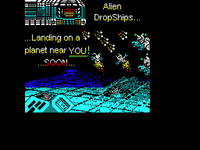
RetroForce
=================
== Retro Force ==
=================
Original PDF descriptions: English, Español.
~~~~~~~~~~~~~~~~~~~~~~~~~~~~~
A NOTE FROM THE CREATORS:
~~~~~~~~~~~~~~~~~~~~~~~~~~~~~
Another year, another competition…
Today, we present before you, a pure 48k Spectrum game, requiring no special hardware beyond the original rubber key machine made famous by Sinclair. At the time of writing, we have squeezed in 24 levels (Alpha to Omega), basic beeper tunes, rudimentary sound effects, elaborate attack patterns and plenty of enemy types, leaving less than 100 bytes left over to spare in our game.
Our game, of course, is an interpretation of an old classic shooter, known as MegaForce. MegaForce, also known as StarForce, was essentially a vertical format shooter, that relied less on power ups and more on player skill. Its a game that was converted widely to consoles and other systems, but not to our humble Spectrum.
MegaForce is old, but far from primitive. Converting this proved far from simple, with compromises obviously being made. Screen dimensions, tiles numbers, map complexity, sound effects, and music, all had to endure some form of cut or radical alteration. In the end, we had to distil the game down to what we consider the most essential factor for a decent shooter, which in our book, meant “playability”. Playability determined that this game had to be highly responsive and fast, which determined our scroll engine, which determined our tile and map complexity, which determined our memory constraints, which determined our sprite variability, which determined… well… you get the idea…
In the end, what we have here is less a port and more an interpretation of the original… To that end, we thought we might also go a step further, and blend a storyline in there too, to create
continuity with a previous shooter Climacus wrote, called RetroInvaders… Our game was thus named to reflect both these angles: It represents a bow to the original, and a nod towards our own
direction. This game is not just a conversion then, but also our creative bridge towards a possible future sequel… But, for now, we hope that you enjoy the game that is now set out before you…
Happy Shooting,
KgMcNeil & Climacus, Oct 2017
~~~~~~~~~~~~~~~~~~~~~~~~
LOADING INSTRUCTIONS
~~~~~~~~~~~~~~~~~~~~~~~~
This game was designed specifically for the Sinclair 48k ZX Spectrum.
As such, compatibility with other systems may vary considerably, based on timing issues and memory arrangements. Some systems, like the Amstrad +3, for instance, are known to be incompatible with this game. With this in mind, we summarize below the most common 3 tape loading approaches to follow before starting the tape in your tape player:
[1] Loading from the “Tape Loader” option via the Menu system
[2] Loading directly from within a non-tokenized BASIC editor
[3] Loading directly from within the 48k-style BASIC editor
***************************************
** Using the Menu TAPE LOADER option **
***************************************
This option is most commonly used by ZX 128k based systems.
– Turn on, or Reset your system.
– Once the menu screen appears, Press ENTER, to select “Tape Loader”
If the “Tape Loader” option wasn’t already highlighted, then it can be by using the Cursor keys to select it, prior to hitting the ENTER key.
****************************************
** Using a Non-Tokenized BASIC editor **
****************************************
This option is common for clones using alternative ROMs, like SEBasic.
– From within BASIC, type LOAD “”
– After typing this, press ENTER
NB: Quotation marks are usually typed with Symbol Shift and the P key.
****************************************
** Using the 48k BASIC Editor to Load **
****************************************
To use the LOAD “” command, follow these instructions:
– Type “J” [for LOAD]
– Press Symbol Shift+”P” for quotation mark
– Press Symbol Shift+”P” again for another quotation mark
– Press ENTER
Follow any approach, then leave the tape running until the end.
When the tape is done, press any key to bring up the gaming menu…
~~~~~~~~~~~~
PLAN “B”
~~~~~~~~~~~~
“Alpha Squadron are gone…”
Silence descended on the hall, as we took in the enormity of what was being broadcast from an Earth-based channel that had seen little action over these last 10 years. Our cell had waited incognito, inactive, but attentive for the best part of that time, waiting for a day such as this. Ten years of waiting was agony, but not as painful as that 3 second delay.
The delay, of course, was an inevitable side effect of temporal distortion when communicating across such vast distances…
Communication, as always, was to the point, and of necessity, infrequent. Today, however, marked something different. “…the last of their ships were swallowed by the event horizon…”
It took only half a second for us to process that message before the hall erupted in jeers of celebration.
I could barely hear over the jubilation of my comrades behind me, finding it necessary to shout over them for confirmation.
“We won?… Mission successful?…”
Even before he uttered the two words that would prove to be my correction, and the reason for this mission, we fell silent again at the sight of our commanders serious glare.
“Phase One…”, was all he said. Operation “Silent Night”, as we all knew consisted of two phases. The first of these involved the wholesale destruction of a string of mother ships guarding the infamous wormhole. For almost half a century, mankind endured continuous attacks originating beyond that celestial gate, from a faction known only as “The Unity”. Phase One
meant we got to finally nail that door shut.
Phase Two, however, was an entirely different matter. Phase one bought us peace, but only the completion of Phase Two could sustain it. A “Peace that will last” meant only one thing to our kind – radical death to “The Unity”. Such a Final Solution is a tall order for an under equipped cell such as ours, but was well within the remit of the Alpha Squad, whose main objective, was the delivery of a warhead that would make that possible.
Ah, the warhead… What a marvellous weapon… Salvaged from 40 years of alien technology meant for our destruction, scientists had constructed something that could effectively wipe away a whole solar system… Its use was never going to be something our species could witness first hand though…
And therein lies the problem: we have no way to verify whether the payload had been delivered, without compromising our assets.
Which brings us to Plan B and the activation of our sleeper cell… On this glorious day, we are to lead an assault team deep into enemy territory to take out as much of their infrastructure as possible. Anything we destroy, Alpha won’t have to; anything we leave, might compromise their ability to deliver the payload. Ultimately, we are the pointman for a human incursion that will finish the job. We are to clear the way for logistic craft, which will later seed the area with hardware that will lay dormant for any surviving Alpha team members who do make it across. Failing that, we are the last chance for mankind to strike deeply and directly at The Unity. Ideally, Alpha team will finish the job; failing that, we’ll at least go down in
history as those who extended the Peace in our Time…
::::::::::::::::::::::::::::::::::::::::::
:::: THE AIM OF THE GAME ::::
::::::::::::::::::::::::::::::::::::::::::
Before the big boys can find their way into this part of the galaxy with their explosive payloads, your job is to clear away all targets and resistance found within the next 24 sectors ahead.
Targets are typically embedded within the sectors infrastructure, and can be many and varied. But this isn’t a sight seeing tour solider!! Each of the 24 sectors, Alpha to Omega, have a designated number of targets that must be destroyed, before you can get a crack at destroying that sectors guardian ship. This designated number, representing a percentage of the sectors industrial infra structure, and can be found on the right hand side of your control panel – for instance:
Failure to destroy the designated number of targets before level end, will force the player to have to replay that sector from the beginning again. Success in destroying all such targets however, will activate the sector guardian, who must be destroyed before proceeding further…
::::::::::::::::::::::::
:::: ENERGY & LIVES ::::
::::::::::::::::::::::::
By default, this game involves both energy drainage and loss of life systems during play. This means contact with enemy shots will drain shield strength, but won’t necessarily prove fatal until your shield runs dry. Direct collision with enemy craft, however, will prove immediately fatal. The number of ships you have remaining, and a visual representation of shield strength, can both be seen together on the bottom right of your control panel:
For die-hard players with more skill, the options screen allows users to determine difficulty of game play by tinkering with how the game treats enemy shot and target collisions. Enemy shots can be made fatal, faster & more accurate, while map target collision detection can be turned on to add more avoidance to game play.
Neither of these settings should not be touched by players who are prone to fits of rage, panic attacks or unaccustomed to the masochism that comes from playing ZX games written before the 1990s… 😉
:::::::::::::::::::::::::::
:::: Opposing the Odds ::::
:::::::::::::::::::::::::::
R-Type never made it this far out into the galaxy, so don’t expect heavy armaments in this game… 😉 That being said, your not totally defenceless… Flashing pickup icons do exist…
Typically, picking one of these up will grant one of the following:
1) Auto Fire – Perhaps the most useful asset your player can have, and the only weapons upgrade in this game.
2) Smart Bomb – An EMP blast that will immediately destroy all kinetic cybernetic craft.
3) Ground Blast – A smart bomb to clear away all ground based industrial targets.
4) Bonus Points – Not immediately useful… but save enough of these, and you might just get an extra life…
::::::::::::::::::::::::::::
::: BASIC GAME PLAY TIPS :::
::::::::::::::::::::::::::::
• Don’t be afraid to dive into enemy fire to avoid enemy ships.
• Sacrificing a life, to collect missed targets is worth it…
• Memorize those attack patterns!
• Players who linger at the back, risk everything in later levels.
• Weaving & dodging become essential in later game play levels.
• Get up close & personal when confronting level end guardians.
• Chose wisely between enemy craft or ground based targets…
::::::::::::::::::::::::
::: GAME PROGRESSION :::
::::::::::::::::::::::::
24 Sectors are believed to exist just prior the area believed to house the species known only as, “The Unity”. Their demise won’t be accomplished by your craft though. You are tasked with clearing the way to secure safe passage for those that will fly ahead…
The first 11 sectors are partially known by navigational intelligence gathered over the last nine years, but sectors beyond LAMBDA are essentially unknown to humankind. It is believed that sectors MU onwards are color coded according to function, representing industrial, cybernetic and organic environments, but little can be said with certainty at this stage…
Beyond sector Omega, nobody can say what awaits… Thankfully, it won’t be your team that has to conduct that level of infiltration…
Good luck soldier… you’ll need it…
=========================
:::::: TOOLS USED ::::::
=========================
FOR SOUND:
Beepola v1.08.01 By Chris Cowley
FOR GRAPHICS:
ZX-PaintBrush v2.6.4 By Claus Jahn 2017
SevenUp 1.20 By MetalBrain 2006
Bmp2Scr Exp v2.11a By Leszek Chmielewski 2004
MAME32 v0.34 By MAME Team 1998
FOR EMULATION:
SpecEmu v3.1 By Mark Woodmass 2015
Spectaculator By Jonathan Needle 2011
EmuZWin 2.8 By Vladimir Kladov 2006
FOR ASSEMBLY:
Pasmo v0.5.4.Beta2 By Julian Albo 2005
ZX-BlockEditor v2.4.3 By Claus Jahn 2017
FOR COMPRESSION:
Z802TAP v3.0 By Lunter 1994
Exomizer v3.0 By MetalBrain 2012
CUSTOM TOOLS:
Mapeador.exe v1.0 By Climacus 2017
=================================================
:::::: SOURCE MATERIAL AND INSPIRATION ::::::
=================================================
GAMING CONCEPT:
MAME: Mega Force By Tehkan 1985
SPRITES:
MAME: Mega Force By Tehkan 1985
LOADING SCREEN, TITLE & FONTS:
Font adapted from original By Karl McNeil
Material from RetroInvaders By Karl McNeil
MUSICAL SCORES:
NES: StarForce via MusicBox By Climacus
DelicateOoz via MusicBox By emax/trsi 1994
Читать дальше »
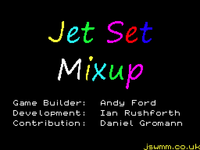
Jet Set Mixup
============================================
Jet Set Mixup
Game Builder: Andy Ford
Technical Development: Ian Rushforth
Technical Contribution: Daniel Gromann
(jswmm.co.uk)
============================================
‘Jet Set Mixup’ is a redesign of Matthew Smith’s classic ZX Spectrum 48K game ‘Jet Set Willy’. It can be played on a real Spectrum, on the Sinclair ZX Spectrum Vega/Vega+ or on a computer, game console or another device using a ZX Spectrum emulator.
The layout of ‘Jet Set Mixup’ is almost identical to that of ‘Jet Set Willy’, but most of the original guardians have gone on holiday, and have been replaced on duty by sprites from ‘Manic Miner’ and ‘Jet Set Willy II’. Furthermore, the player is offered a choice of sprites with which they can play the game. We hope you enjoy this ‘mixup’!
Contents
I. Acknowledgements and thanks
II. Instructions
III. Game history and technical information
IV. The legal bit
V. Closing remarks
———————————————————————-
I. Acknowledgements and thanks
The authors would like to express their gratitude to:
– Matthew Smith, creator of the original ‘Jet Set Willy’ and ‘Manic Miner’. Many of the ‘Manic Miner’ sprites were used in ‘Jet Set Mixup’.
– Derrick P. Rowson and Steve Wetherill, authors of ‘Jet Set Willy II: The Final Frontier’, from which a number of sprites were sourced for ‘Jet Set Mixup’.
– John Elliott, for his excellent JSW Editor (JSWED, http://www.seasip.info/Jsw/jswed.html), which was the main tool used to create the game, and for JSWED’s accompanying documentation. John also came up with a patch which ensures that Willy’s facing direction and frame of animation are reset at the start of each game.
– Richard Dymond (‘SkoolKid’), for his complete Jet Set Willy disassembly (http://skoolkid.github.io/jetsetwilly/), which was of great assistance in implementing various code modifications and optimisations in ‘Jet Set Mixup’.
– Geoff Eddy, in whose JSW games the playing sprite varies on a room-by-room basis. This aspect of the ‘Geoff Mode’ game engine provided inspiration for the technical solution to implement the ‘Sprite Mode’ feature in ‘Jet Set Mixup’. Geoff’s idea for collectable items to cycle through eight INK colours (rather than four, as is the case in ‘Matthew Mode’) has also been implemented in an optimised form. Geoff’s games can be downloaded from an archived version of his website, accessible via the Wayback Machine (https://web.archive.org/web/20030805002513/http://www.cix.co.uk:80/~morven/jsw/index.html), which also provides some very useful technical documentation
(https://web.archive.org/web/20030701143111/http://www.cix.co.uk:80/~morven/jsw/geoff_dis.html).
– Dr Andrew Broad, for his JSW-related technical documents (http://www.oocities.org/andrewbroad/spectrum/willy/), in particular his ‘Technical Notes on Jet Set Willy: The Lord of the Rings’, which were of great assistance in implementing the ‘Sprite Mode’ in ‘Jet Set Mixup’. Thanks also to Andrew for establishing and managing the Manic Miner & Jet Set Willy Yahoo! Group (https://groups.yahoo.com/neo/groups/manicminerandjetsetwilly/info).
– Daniel Gromann, for extensive playtesting of ‘Jet Set Mixup’ in all ‘Sprite Modes’. Daniel’s JSW Central website (www.jswcentral.org) is a rich source of information on JSW & MM games.
– Stuart Brady, for his Cell-Graphics Bug Fix, which ensures that all cell graphics are drawn as the designer (Matthew Smith in this case) intended.
– Jonathan Graham Harston, for his ‘Full Z80 Opcode List Including Undocumented Opcodes’ (http://www.z80.info/z80oplist.txt), for his ‘Jet Set Willy’ related documentation (http://mdfs.net/Software/JSW/) and for his elegant Pause Bug Fix.
– James Moxham, for his ‘ZINT Z80 Interpreter’ (http://www.z80.info/z80code.htm), which is a highly informative introduction to the Z80 instruction set that was often referred to during the development of ‘Jet Set Mixup’.
– The authors of Binary Hex Converter (http://www.binaryhexconverter.com/), which was the standard tool used to convert values back and forth between the decimal, binary and hexadecimal systems. The Bitwise Calculator at http://www.miniwebtool.com/bitwise-calculator/ was also a useful tool.
– The ZX Spin team, for their ZX Spin (http://www.zophar.net/sinclair/zx-spin.html), which was used by Daniel Gromann in playtesting.
– Jan Bobrowski, for his Qaop/JS HTML5 ZX Spectrum emulator, which was used by Ian Rushforth in playtesting.
– Claus Jahn, for his ZX-Modules (http://www.zx-modules.de), particularly ZX-Paintbrush which was used by Andy Ford during the creation of the loading, title and ‘Game Over’ screens.
———————————————————————-
II. Instructions
The object of the game is to guide Willy (or whichever playing sprite you choose) and collect all of the flashing items scattered around his mansion, avoiding the moving and unmoving guardians and the stationary nasties which may kill you (as will falling from an excessive height). With all the items collected, the player needs to go to ‘The Master Bedroom’ where Maria will no longer be blocking access to Willy’s bed.
After loading the game, the player is presented with a ‘Sprite Options’ menu screen. Press a number key from 0 to 9 to choose a playing sprite and proceed to the title screen.
Use O-Left, P-Right (or a combination of keys from the top row of letters) and SPACE or any of the letters from the bottom row to jump.
A-G pauses the game; any other key unpauses it.
H-ENTER/RETURN toggle the music ON/OFF.
Pressing SHIFT+SPACE together at the same time abandons the current game.
‘Jet Set Mixup’ has been fully playtested, and it is possible to complete the game in all ‘Sprite Modes’ without losing a single life.
———————————————————————-
III. Game history and technical information
‘Jet Set Mixup’ was initially intended to be a simple ‘one rainy day’ project by Andy Ford, starting with the original ‘Jet Set Willy’ but replacing the majority of the sprites with ones from ‘Manic Miner’ and ‘Jet Set Willy II’, as well as other minor tweaks such as:
1. Removal of the clock / time limit
2. Changing the item counter to indicate the number remaining
3. Minor adjustments to the ‘lower screen’ (the status area) display such as the lives colouring and the text positioning
4. Removal of unwanted routines such as the keypad and screen-flash
But one thing led to another and once two other contributors (Ian Rushforth and Daniel Gromann) joined in, further ideas were discussed and considered. At one point there was a choice of eight different starting locations; this was simply added to the end of the Basic loader to provide the player with a little bit of variety. However this ‘feature’ did not make it into the final game as a different idea was discussed…
The possibility of a different player sprite upon each room entry; this was quite easy to do via interrupting the four calls to move Willy into a room to the left, right, up or down as appropriate; but once again we discussed the merits of this and decided to offer the player a choice, as well as mixing things up even more…
The game now offers the player a choice of eight initial playing sprites to pick from including Willy, as well as two special ‘Random Modes’. The first Random Mode choice changes the sprite upon entry to each room (or loss of life) to one of the eight playing sprites, selected at random as the name suggests! In the second Random Mode, a sprite change also occurs each time an item is collected, along with another little effect.
We decided to make the sprite selection part of the ‘new game’ routine, so that the player has the chance to change their ‘Sprite Mode’ prior to starting up each new game. This is something that the original ‘Pick a Location’ idea did not offer (being part of the loader, the location option was only offered immediately after loading up the game file).
The notion of a non-Willy playing sprite in a JSW game was of course Matthew Smith’s innovation, in the original game’s ‘The Nightmare Room’. However, the sprite change there is hard-wired by the game engine to take place in that room only. The idea of the playing sprite changing regularly during the course of the game was originally a feature of Geoff Eddy’s JSW games (also implemented, with meticulous documentation, in Andrew Broad’s ‘Jet Set Willy: The Lord of the Rings’). In those games, the playing sprite is determined on a room-by-room basis, via a spare ‘offset byte’ in the current room buffer. In ‘Jet Set Mixup’, Daniel Gromann modified Geoff’s solution so that the playing sprite is controlled by a global game variable, the value of which is set when a number is selected on the ‘Sprite Options’ menu screen.
In turn, that provided the foundation for the ‘Random Modes’ in ‘Jet Set Mixup’. The code to implement the sprite change each time a room is entered (or a life is lost) was initially written by Daniel, and further developed/optimised by Ian Rushforth. Ian then created the ‘Sprite Options’ menu screen, and implemented the sprite change upon collection of items in ‘Random+ Mode’ (in the process, accidentally inventing the concept of an ‘Item-Collection Patch Vector’!).
Further changes that we have implemented include a redesigned title screen using a large ‘handwritten’ style font and an enhanced ‘Game Over’ screen.
———————————————————————-
IV. The legal bit
‘Jet Set Mixup’ is freeware, and all of its innovative elements may freely be reused in other projects. If you do so, please acknowledge their authorship.
———————————————————————-
V. Closing remarks
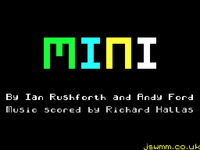
We hope you enjoy playing ‘Jet Set Mixup’ as much as we did writing it! Please also check out its sister project, ‘Jet Set Mini’, released on the same day.
If you have any queries, comments or general feedback, please contact us on the email address below, or come and visit our Jet Set Willy & Manic Miner Community at jswmm.co.uk to join in with Willy-based discussions!
Andy Ford, Ian Rushforth & Daniel Gromann, 21st July 2017
projects@jswmm.co.uk
Twinlight
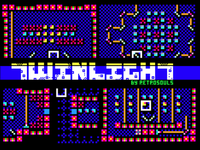
Игра основана на идеях Deflektor. На каждом уровне необходимо уничтожить все вражеские коконы и провести лазер к ресиверу.
Ссылка на страницу проекта: RetroSouls.Net.
Читать дальше »

The Sword of Ianna
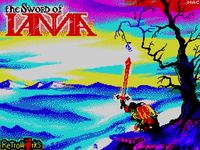
Меч Ианны
Во времена и в мире, где господствовали тени, богиня Ианна выбрала воина, который победил зло, угрожавшее этим землям.
Теперь это зло возродилось вновь и ПРИШЛО ТВОЁ ВРЕМЯ.
Русский перевод
– Валерия Суханова – перевод текста с английского на русский
– Евгений Рогулин (aka E.R._ – сделал русскую версию картинок с текстом и шрифта
– Хайдуков Алексей (aka Epsilon) – сделал изменения по коду и скомпилировал финальную версию
– Shadow Maker – сделал TR-DOS версию из версии для +3 disk
Читать дальше »
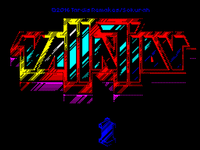
Vallation
Внимание! Чтобы поддержать автора этой отличной игрухи, закажите кассету, или скачайте цифровую версию, перечислив не менее 5 USD в адрес автора! Спасибо.
———–
VALLATION
-=-=-=-=-
Описание
VALLATION это великолепная конверсия игры, изначально разработанной для C64 Джейсоном Келком (Jason Kelk) (TMR / Cosine) и теперь представленной на ZX Spectrum командой Tardis Remakes. Игра содержит супердетализированную графику, качественный звук и большое количество эффектов! Релиз от Psytronik представлен вместе с великолепной работой художника Оливера Фрея (Oliver Frey) и представляет специальную расширенную версию для 128K с новой звуковой дорожкой для AY, новым полным уровнем с 49 дополнительными экранами, через которые тебе предстоит прорубить путь. Сможешь спастись с пиратской планеты?
Загрузка:
Пользователи 128K – просто нажмите ENTER.
Пользователи 48K – введите LOAD “” и нажмите ENTER.
Примечание: Сторона 1 ленты содержит версию для 48K, а сторона 2 содержит расширенную версию для 128K с дополнительными уровнями и AY музыкой.
Как играть:
Твоя миссия в том, чтобы спастись с пиратской планеты. Проходи через 101 экран (150 в 128к версии), разбитыми на 4 уровня (5 в 128к версии) и постарайся найти путь наружу. Опасайся ракет – они неуничтожимые… и будь очень осторожен около врагов, которые стреляют по тебе как только заметят. Всё в твоих руках.
Управление:
Жми QAOP и ПРОБЕЛ, чтобы управлять в игре.
Для того, чтобы прервать игру, используй SHIFT+ПРОБЕЛ.
Все клавиши, кроме QUIT могут быть переопределены.
Кемпстон джойстик есть только в 128К версии.
Авторы:
Идея и дизайн оригинальной игры: Джейсон Келк aka. TMR / Cosine.
Код версии для спектрума – Сюрен Боргквист aka. Sokurah.
Графика для спектрума и логотип – Крейг Стивенсон (Craig Stevenson) aka. Redballoon.
Дополнительная графика Симон Батлер (Simon Butler).
Музыка для 48K Spectrum – Джоан Элебринк (Johan Elebrink) aka. Brink.
Музыка для 128K Spectrum – Spacefractal.
Рисунок для кассетной версии – Оливер Фрей (Oliver Frey).
Выпущено в 2017 by www.psytronik.net
Читать дальше »


